![Applied Logo-2.jpg]](https://knowledge.applied.com/hs-fs/hubfs/Applied%20Logo/Applied%20Logo-2.jpg?height=40&name=Applied%20Logo-2.jpg)
Connect your Punchout and Applied.com Registered User Account
- Punchout to Applied.com using your procurement system
- If you have the option, choose your Applied account. You are now in your Punchout account.
- Click the Account menu (top right)
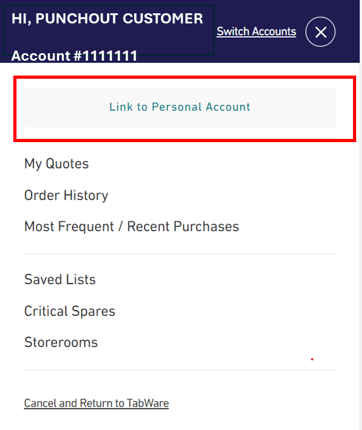
- Click the button – Link to Personal Account
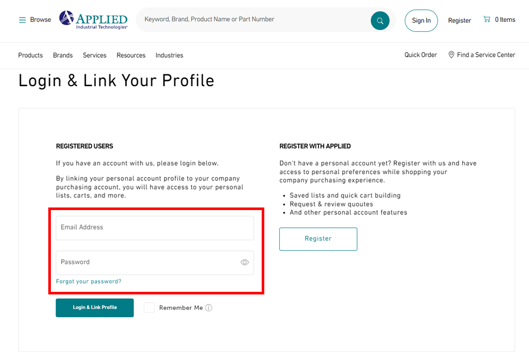
- If you have an active Applied.com Registered User account, enter your user email address and password and choose Login & Link Profile
- If you do not have an active Registered User account, click the Register button
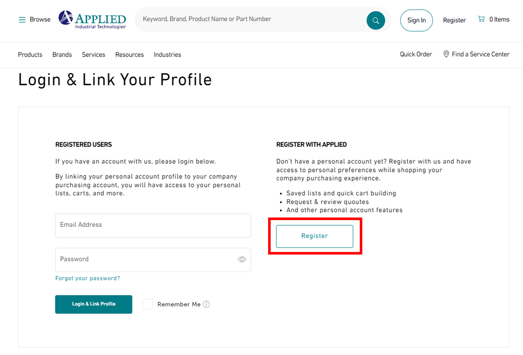
- Complete the registration form and choose Submit Registration Request
- Your Registration will be reviewed and once approved, it will be connected to your Punchout account
- Use Applied.com as a Registered User